Photography Studio Booking System
ID photos take 15 minutes, a family shoot 90 minutes, a product shoot 2 hours… Vaktimce plans your studio and photographer's calendar around the real length of each shoot.
All features free for 14 days · No credit card required · Set up in 5 minutes
What makes a photography studio calendar hard: shoots of different lengths
In a photography studio, a 15-minute ID photo and a 2-hour product shoot share the same day. When bookings are taken by phone or message, short sessions get squeezed between long ones and set-up and pack-down times aren't counted, so the next client ends up waiting at the door.
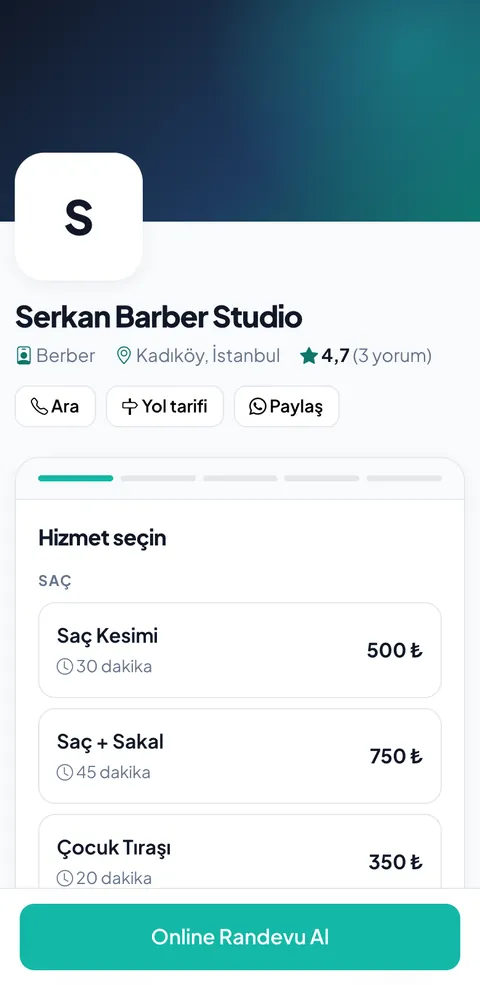
Photography studio booking software knows the real duration of each shoot type and its setup buffer. When a client chooses a family shoot, they only see times where the full 90 minutes and the setup before it are free; shoot notes arrive together with the booking.
The 3 biggest problems for Photography Studio businesses
Walk-ins for ID photos end up waiting
When short ID photo sessions get squeezed between long shoots, clients wait and the studio looks crowded and disorganized.
Two long shoots land at the same time
With bookings taken by phone, two long shoots can be written in for the same slot — set, lighting and photographer clash and one has to be moved.
Pre-shoot details get lost
When the number of people, the concept or the product count is discussed by phone and forgotten, the shoot starts unprepared.
Features designed for Photography Studio
Duration per shoot type
ID photo 15, portrait 60, family shoot 90 minutes — clients only see times where that duration fits.
Photographer-based calendar
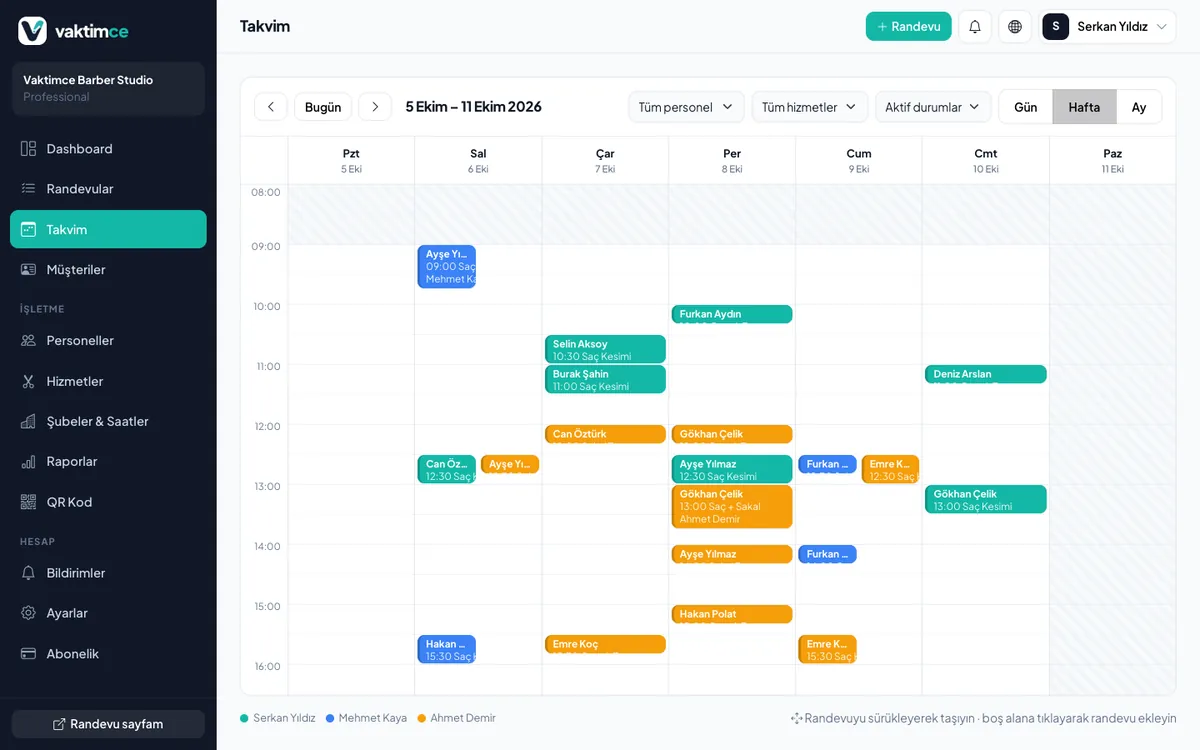
Each photographer's working days and shoot types are kept separately; clients can pick their photographer.
Setup and teardown time
Add buffers before and after a shoot for set preparation and packing up equipment; shoots never overlap.
Booking note
Clients share the number of people, concept or product count as a note when booking.
Your Photography Studio online booking page, ready in 4 steps
Define your shoot types
ID photo, portrait, family, graduation, product and outdoor shoots… Enter a duration and starting price for each.
Add setup and teardown buffers
Reserve time before a shoot for set and lighting, and after it for packing up equipment.
Set your photographers and permissions
Choose each photographer's working days and the shoots they do; clients see the right person's free times.
Put the link next to your portfolio
Add your booking link to your Instagram bio, Google Business Profile and a QR code in your window.
Photographers and studio use
Each photographer's calendar is calculated separately; long shoots appear as a single block and short bookings can't be squeezed in between. Add walk-in ID photo clients from the panel in seconds so the calendar always shows your real occupancy.
- Photographer-specific working days and hours
- Setup before and teardown after each shoot
- Booking notes for number of people, concept and product count
- Quickly add walk-in clients from the panel
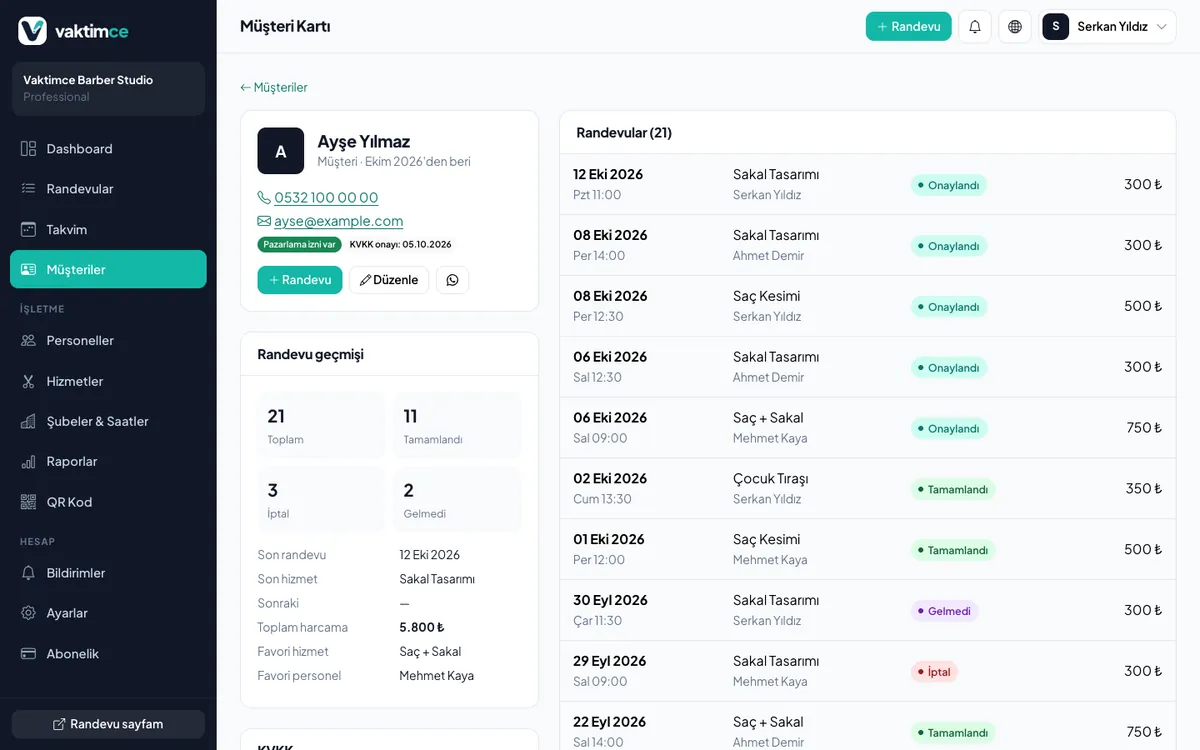
Every customer's history on one screen
A customer card is created the moment a booking is made. You see how often they've visited, which service they prefer, their total spending and the days they didn't show up; your internal notes are visible only to your team.
A Saturday
Photographer Emre's day starts at 10:00 with a 90-minute family shoot; the 15-minute setup before it is reserved automatically. Around midday, ID photo clients are spread across 15-minute slots and nobody waits in line. The note for the afternoon product shoot says 12 items on a white background, so Emre opens the studio prepared.
Start free, upgrade as you grow
Try every paid feature for 14 days without a credit card. If you don't pay when the trial ends, your account continues on the Free plan.
Free
- 1 staff
- 10 customers
- 25 appointments per month
Starter
- 3 staff
- 500 customers
- Unlimited appointments
- Automatic email reminders
- Customer history
- Booking via QR code
Professional
- 10 staff
- Unlimited customers
- Unlimited appointments
- Automatic email reminders
- Customer history
- Booking via QR code
- 5 branches
- Advanced reports
FAQ about Photography Studio booking systems
Guides for Photography Studio businesses
Cut down phone traffic.
Automate your bookings.
Set up in 5 minutes and start sharing your booking link today. No credit card required.