Tutoring Booking System
Instead of messaging parents for hours, share your available times and let your lesson schedule build itself.
All features free for 14 days · No credit card required · Set up in 5 minutes
Arranging a lesson time shouldn't take longer than the lesson
What private tutors waste the most time on is finding a suitable time with students and parents. 'Is Tuesday OK?', 'What time?', 'That's taken, Thursday?' messages go on all day; and when a lesson is cancelled, the same back-and-forth starts again to fill the freed-up slot.
With tutoring booking software you define your available times once. The student or parent taps the link and chooses the lesson type and a suitable time. You can leave buffer time between lessons for travel or prep, and offer one-to-one and trial lessons with different durations and prices.
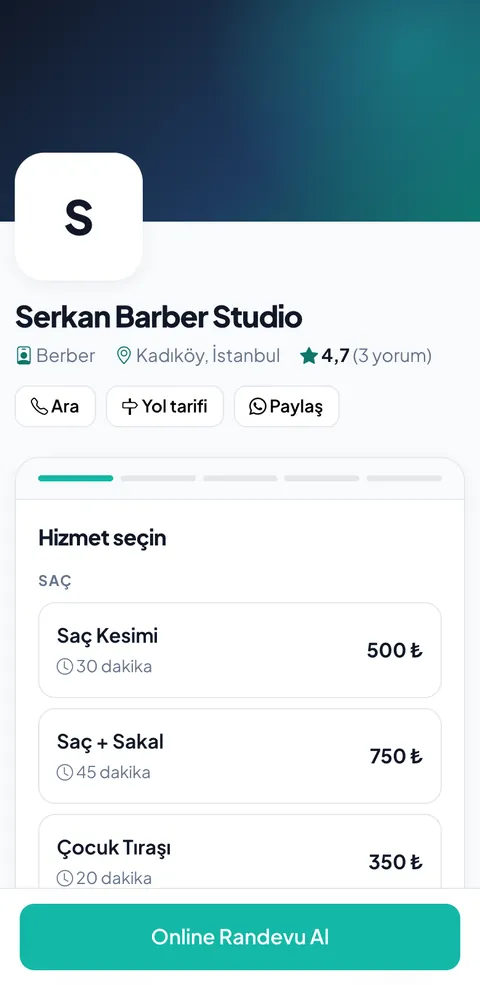
The 3 biggest problems for Tutoring businesses
Messages with parents and students
Confirming lesson times every week and arranging cancellations and make-up lessons takes serious time.
School hours and busy periods
Demand spikes around exams and managing the calendar properly gets hard.
Online and in-person lessons
You need to see different lesson types and lengths in one calendar.
Features designed for Tutoring
Weekly availability
Define your after-school hours and weekend schedule once.
Easy rescheduling
Students can reschedule their lesson themselves up to the deadline you set.
Student history
See how many lessons were held and which were cancelled.
Lesson fee tracking
Follow your estimated monthly income from completed lessons in reports.
Your Tutoring online booking page, ready in 4 steps
Create your lesson types
Set up options like a trial lesson (30 min), one-to-one lesson (60 min) and exam prep (90 min).
Enter your weekly availability
Set the hours outside school or your other work; block holidays and days off.
Leave a buffer between lessons
A 15-minute gap is reserved automatically for moving between lessons or prep.
Share the link with parents
Send your booking link via WhatsApp groups, school announcements or social media.
If you work with several tutors
For tutoring centers and language schools, each tutor's subjects and hours are set separately; students only see the free times of tutors who teach the relevant subject.
- Tutor-based subject (service) permissions
- Tutor-specific weekly schedules and time off
- Student history: number of lessons taken and cancellations
- Automatic confirmation and reminder emails to parents
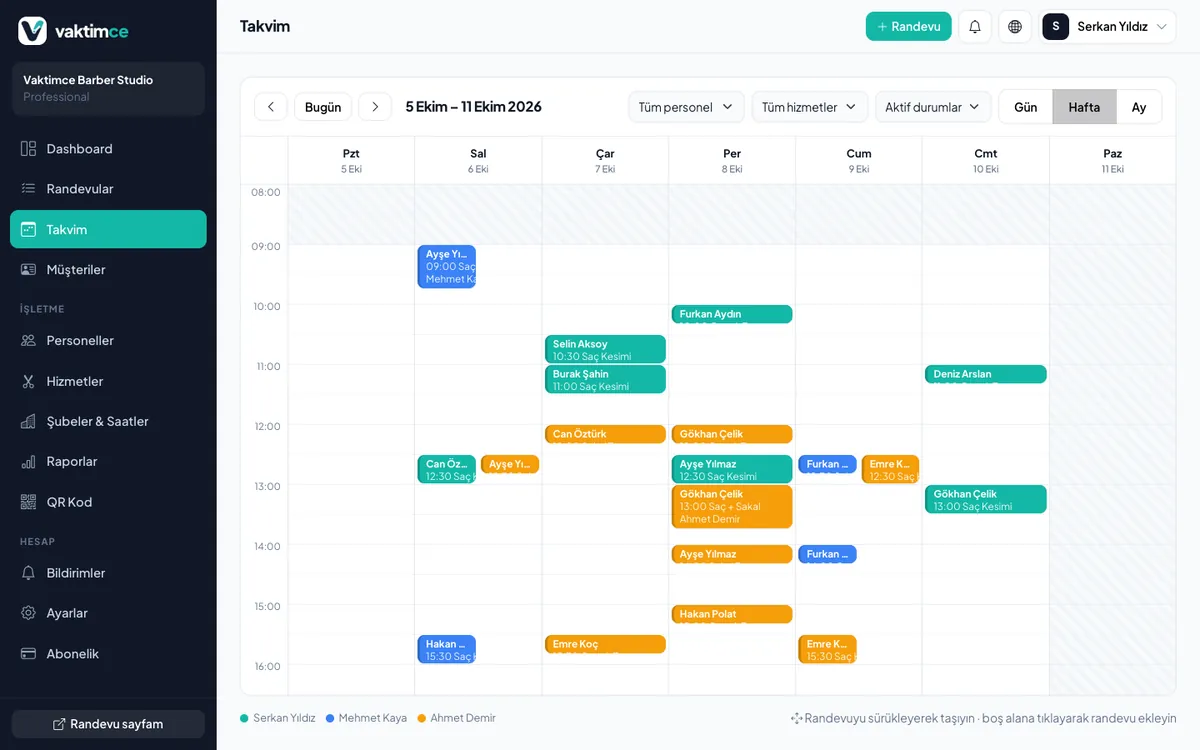
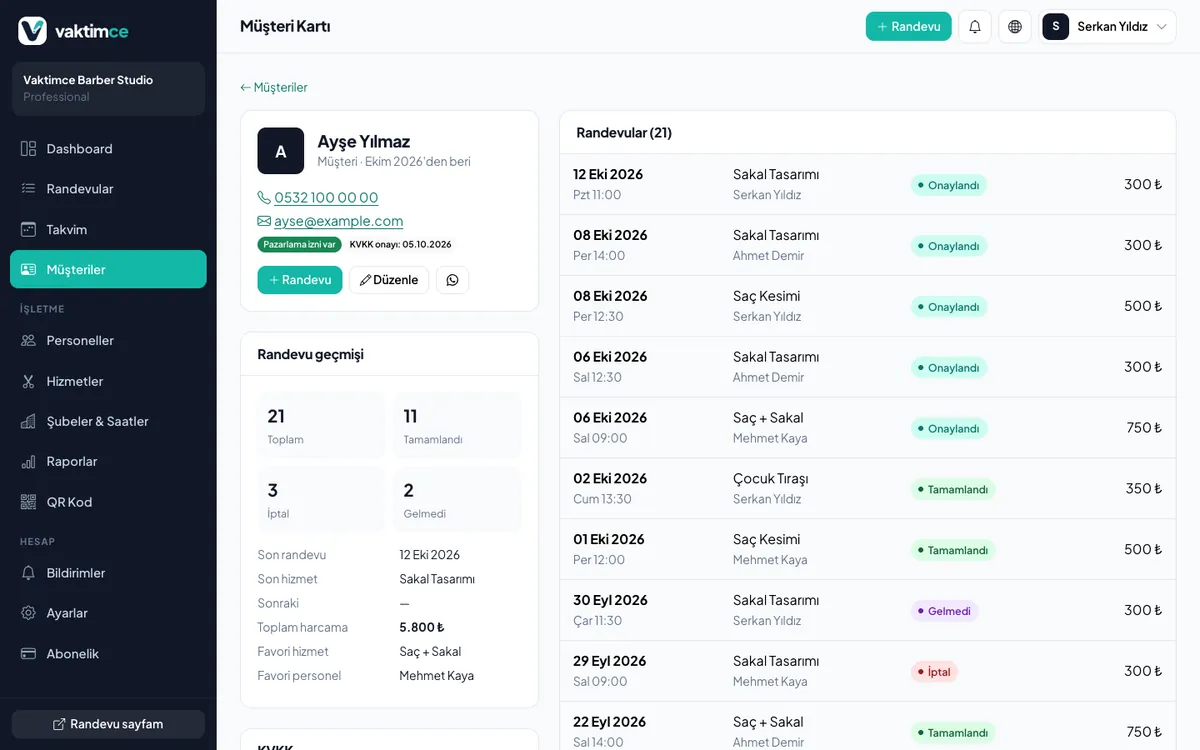
Every customer's history on one screen
A customer card is created the moment a booking is made. You see how often they've visited, which service they prefer, their total spending and the days they didn't show up; your internal notes are visible only to your team.
Exam season
Math teacher Murat has set his weekly availability as weekdays 16:00–21:00 and all day Saturday. Students choose their own times; when a student falls ill, they move their lesson to Thursday using the link in the email. Murat finds his weekly schedule ready without writing a single message.
Start free, upgrade as you grow
Try every paid feature for 14 days without a credit card. If you don't pay when the trial ends, your account continues on the Free plan.
Free
- 1 staff
- 10 customers
- 25 appointments per month
Starter
- 3 staff
- 500 customers
- Unlimited appointments
- Automatic email reminders
- Customer history
- Booking via QR code
Professional
- 10 staff
- Unlimited customers
- Unlimited appointments
- Automatic email reminders
- Customer history
- Booking via QR code
- 5 branches
- Advanced reports
FAQ about Tutoring booking systems
Guides for Tutoring businesses
Cut down phone traffic.
Automate your bookings.
Set up in 5 minutes and start sharing your booking link today. No credit card required.